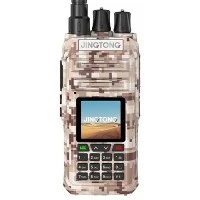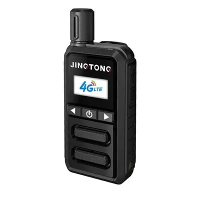

As a supplier of POC (Push-to-Talk over Cellular) radios, I've seen firsthand the transformative power of these devices in revolutionizing voice communication. POC radios offer a seamless and efficient way to connect individuals and teams, whether it's for business operations, emergency response, or personal use. In this blog post, I'll guide you through the ins and outs of using POC radios for voice communication, sharing valuable tips and insights along the way.
Understanding POC Radios
POC radios are a type of two-way radio that uses cellular networks to transmit voice signals. Unlike traditional radios that rely on dedicated radio frequencies, POC radios leverage the existing cellular infrastructure, providing wider coverage and greater flexibility. With POC radios, you can communicate with anyone, anywhere, as long as there is cellular network coverage.
One of the key advantages of POC radios is their ability to support group communication. You can create different groups based on your needs, such as departments, teams, or projects, and easily switch between them. This makes it ideal for coordinating activities, sharing information, and ensuring everyone stays on the same page.
Getting Started with POC Radios
Before you start using POC radios, there are a few things you need to do to ensure a smooth and successful experience.
1. Choose the Right POC Radio
There are several types of POC radios available in the market, each with its own features and capabilities. When choosing a POC radio, consider factors such as battery life, range, durability, and ease of use. Some popular options include Poc 4g, 4g Poc Radio, and Mini Poc Radio.
2. Select a Cellular Service Provider
POC radios rely on cellular networks to function, so you'll need to choose a reliable cellular service provider. Look for a provider that offers good coverage in your area and has a reputation for providing high-quality service.
3. Set Up Your POC Radio
Once you've chosen your POC radio and cellular service provider, it's time to set up your device. This typically involves inserting a SIM card, powering on the device, and following the on-screen instructions to configure the settings.
4. Create Groups and Contacts
To make the most of your POC radio, you'll need to create groups and contacts. Groups allow you to communicate with multiple people at once, while contacts let you communicate with individual users. You can create groups and contacts directly on your POC radio or use a web-based management system.
Using POC Radios for Voice Communication
Now that you've set up your POC radio, it's time to start using it for voice communication. Here are some tips to help you get the most out of your device:
1. Press the Push-to-Talk Button
To start a voice transmission, simply press and hold the push-to-talk (PTT) button on your POC radio. This will activate the microphone and allow you to speak. Release the PTT button when you're finished speaking.
2. Use Clear and Concise Language
When communicating over a POC radio, it's important to use clear and concise language. Avoid using jargon or technical terms that may not be understood by everyone. Speak slowly and clearly, and enunciate your words.
3. Listen Carefully
When someone else is speaking on the POC radio, make sure to listen carefully. Avoid interrupting or talking over the speaker. If you need to ask a question or provide feedback, wait until the speaker has finished speaking.
4. Be Mindful of Your Surroundings
When using a POC radio, be mindful of your surroundings. Avoid using the device in noisy environments or areas where there may be interference. If you're in a crowded or noisy area, try to find a quiet spot to use the radio.
5. Use the Group Function
One of the key features of POC radios is their ability to support group communication. Use the group function to communicate with multiple people at once. This can be especially useful for coordinating activities, sharing information, and ensuring everyone stays on the same page.
Troubleshooting Common Issues
Like any technology, POC radios can sometimes experience issues. Here are some common issues you may encounter and how to troubleshoot them:
1. Poor Signal Strength
If you're experiencing poor signal strength, try moving to a different location or adjusting the antenna on your POC radio. You can also try contacting your cellular service provider to see if there are any network issues in your area.
2. Battery Life
If your POC radio's battery is running low, try charging the device or replacing the battery. Make sure to use the charger that came with your device and follow the manufacturer's instructions.
3. Software Issues
If you're experiencing software issues, try restarting your POC radio or updating the software to the latest version. You can usually find software updates on the manufacturer's website.
4. Compatibility Issues
If you're having trouble connecting your POC radio to other devices or systems, make sure the devices are compatible. Check the manufacturer's specifications and requirements to ensure compatibility.
Conclusion
POC radios are a powerful tool for voice communication, offering a seamless and efficient way to connect individuals and teams. By following the tips and guidelines outlined in this blog post, you can make the most of your POC radio and ensure a smooth and successful experience.


If you're interested in purchasing POC radios for your business or organization, please don't hesitate to contact us. We offer a wide range of POC radios and accessories to meet your needs, and our team of experts is available to provide you with personalized support and guidance.
References
- Manufacturer's user manuals and documentation
- Cellular service provider's website and support resources
- Industry publications and forums