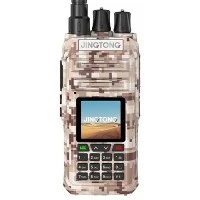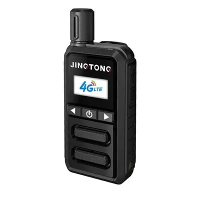

Hey there! I'm a supplier of Mini Analog Radios, and I often get asked about how to set the time on these nifty little devices, especially the ones with an alarm function. Today, I'm gonna walk you through the process step by step.
Let's start with the basics. When you first get your Mini Analog Radio with an alarm, it's likely the time is all wonky or not set at all. But don't worry, it's not as complicated as it might seem.
Step 1: Find the Time - Setting Buttons
The first thing you need to do is locate the buttons on your radio that are used for setting the time. Usually, these are small buttons somewhere on the front or side of the radio. On some models, there might be a dedicated "Time Set" button. If you can't find it right away, check the user manual that came with your radio. It'll have a diagram showing you exactly where all the buttons are.
Step 2: Enter the Time - Setting Mode
Once you've found the time - setting buttons, press the "Time Set" button (or whatever it's labeled on your radio). You'll notice that the time display on the radio will start blinking. This means you're now in the time - setting mode.
Step 3: Set the Hours
Now that you're in the time - setting mode, you can start setting the hours. Use the up and down buttons (or plus and minus buttons) to adjust the hour value. Keep pressing the button until the correct hour is displayed. If you overshoot, just use the opposite button to go back.
Step 4: Set the Minutes
After setting the hours, it's time to set the minutes. Most radios will automatically move to the minutes setting after you've set the hours. If not, there might be a separate button to switch between hours and minutes. Just use the up and down buttons again to set the correct minutes.


Step 5: Confirm the Time
Once you've set the correct hours and minutes, press the "Time Set" button again to confirm the time. The blinking on the display should stop, and the time will be set.
Setting the Alarm
Now, let's talk about setting the alarm. The process is a bit similar to setting the time.
Step 1: Enter the Alarm - Setting Mode
Look for an "Alarm Set" button on your radio. Press it, and the alarm time display will start blinking. This indicates that you're in the alarm - setting mode.
Step 2: Set the Alarm Time
Just like setting the regular time, use the up and down buttons to set the hour and then the minutes for the alarm. Make sure you set it to the time you want to wake up or be alerted.
Step 3: Choose the Alarm Sound
Some Mini Analog Radios offer different alarm sounds. You can usually cycle through the available sounds using a dedicated button. Pick the one that you find most effective in waking you up.
Step 4: Enable the Alarm
Once you've set the alarm time and chosen the sound, press the "Alarm Set" button again to enable the alarm. You might see a small alarm icon appear on the display to indicate that the alarm is set.
Troubleshooting
Sometimes, things don't go as smoothly as we'd like. Here are some common issues and how to fix them:
- Buttons not working: If the time - setting or alarm - setting buttons aren't working, check the batteries. A low - battery situation can cause the buttons to malfunction. Replace the batteries and try again.
- Display not showing correctly: If the time or alarm display is blurry or not showing the right numbers, it could be a problem with the screen. Try gently tapping on the radio to see if that fixes it. If not, it might be a hardware issue, and you should contact the manufacturer.
As a Mini Analog Radio supplier, I offer a wide range of these amazing devices. For those who are looking for a more portable option, check out our Handheld Compact Radio. It's small, lightweight, and perfect for on - the - go use. If you need a bit more power, our 2 Watt UHF Analog Radio is a great choice. And for those who want something that can easily fit in their pocket, our Pocket Analogue Radio is the ideal option.
If you're interested in purchasing our Mini Analog Radios in bulk or have any questions about our products, don't hesitate to reach out. We're always happy to help you find the right radio for your needs. Whether you're a business looking for communication devices or an individual who loves the charm of analog radios, we've got you covered.
References
- User manuals of Mini Analog Radios
- Experience in the analog radio industry