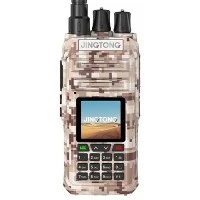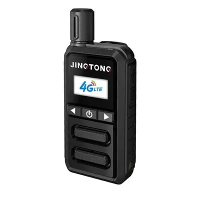

The keypad layout of a handheld walkie talkie is a crucial aspect that significantly impacts its usability and functionality. As a trusted supplier of Handheld Walkie Talkies, I have witnessed firsthand the importance of a well - designed keypad in enhancing the user experience. In this blog, we will delve into the various elements of the keypad layout of a handheld walkie talkie, exploring its common features, functions, and how they contribute to seamless communication.
Basic Components of a Handheld Walkie Talkie Keypad
Power Button
The power button is one of the most fundamental elements of the keypad. It serves as the on - off switch for the walkie talkie. A well - placed power button is usually large enough to be easily located and pressed, even in a hurry or when wearing gloves. It is often designed with a distinct feel, such as a slightly raised surface or a different texture, to prevent accidental presses.
Push - to - Talk (PTT) Button
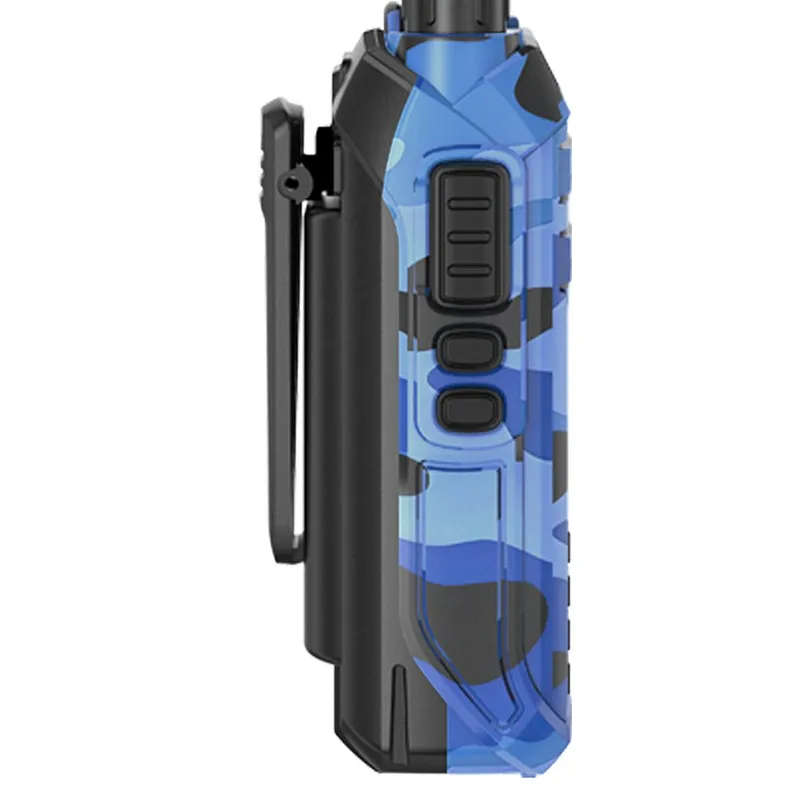
The Push - to - Talk button is the heart of the walkie talkie's communication function. When pressed, it allows the user to transmit their voice over the selected frequency. The PTT button is typically located in a position that is convenient for the user's thumb, as this is the most natural and efficient way to operate it while holding the device. It needs to have a good tactile response, providing clear feedback to the user when it is pressed and released.

Channel Selection Buttons
Channel selection buttons are used to switch between different communication channels. Handheld walkie talkies can have multiple channels, and these buttons make it easy for users to access the desired one. Some walkie talkies have dedicated up and down buttons for channel scrolling, while others may use a combination of buttons to enter specific channel numbers. For example, a walkie talkie might have a "channel" button that, when pressed in combination with other number buttons, allows the user to input the exact channel they want to use.
Volume Control Buttons
Volume control buttons are essential for adjusting the audio output of the walkie talkie. There are usually separate buttons for increasing and decreasing the volume. These buttons are often placed near the top or side of the keypad, where they can be easily reached while the walkie talkie is being held. A smooth and precise volume adjustment mechanism ensures that users can set the volume to a comfortable level according to their environment.
Advanced Features and Their Keypad Representation
Memory Function Buttons
Many modern handheld walkie talkies come with a memory function, which allows users to store frequently used channels. Keypad buttons are used to access and manage these memory channels. For instance, there might be a "memory" button that, when pressed, enables the user to select a pre - stored channel. This feature is especially useful in situations where quick access to specific channels is required, such as in emergency or professional settings.
Scan Function
The scan function is another useful feature found in walkie talkies. It allows the device to automatically search for active signals on different channels. A dedicated "scan" button on the keypad initiates this process. Once the scan is in progress, the walkie talkie will pause on any channel where it detects a signal, allowing the user to listen in. This feature is great for monitoring multiple channels simultaneously.
Privacy Code and CTCSS/DCS Settings
To ensure private communication, walkie talkies often support privacy codes, such as Continuous Tone - Coded Squelch System (CTCSS) or Digital - Coded Squelch (DCS). Keypad buttons are used to set these codes. Users can enter the specific code number using the number buttons on the keypad. This feature helps to filter out unwanted signals and ensures that only users with the same code can communicate with each other.
Impact of Keypad Layout on User Experience
A well - designed keypad layout can greatly enhance the user experience. For example, if the buttons are too small or too close together, it can be difficult for users to operate the walkie talkie, especially in high - stress situations. On the other hand, a layout that is intuitive and easy to navigate allows users to quickly access the functions they need.
In addition, the ergonomics of the keypad play a crucial role. A walkie talkie that fits comfortably in the hand and has buttons that are within easy reach of the fingers reduces fatigue during long - term use. This is particularly important for professionals who rely on walkie talkies for extended periods, such as security guards, event organizers, and construction workers.
Comparison of Different Walkie Talkie Keypad Layouts
There are various types of walkie talkies on the market, each with its own unique keypad layout. Some models are designed for simplicity, with a minimal number of buttons and a straightforward interface. These are often suitable for casual users or those who only need basic communication functions.
Other models, such as the UHF VHF Handheld Ham Radio, are more advanced and have a more complex keypad layout to accommodate a wider range of features. These are typically used by ham radio enthusiasts or professionals who require more sophisticated communication capabilities.
The Best Analog Ham Radio may also have a specialized keypad layout that is optimized for analog communication. It might have features like analog tuning knobs in addition to the standard buttons, providing a different user experience.
Our Handheld Walkie Talkies and Their Keypad Layouts
As a Handheld Walkie Talkie supplier, we understand the importance of a well - designed keypad. Our products are carefully engineered to provide an optimal user experience. We offer a range of walkie talkies with different keypad layouts to meet the diverse needs of our customers.
For our entry - level models, we focus on simplicity and ease of use. The keypad has a clear and straightforward layout, with large buttons that are easy to press. These models are ideal for beginners or those who only need basic communication functions.
Our advanced models, such as the Handheld Walkie Talkie, come with a more comprehensive keypad layout. They include all the advanced features mentioned above, such as memory function, scan function, and privacy code settings. The buttons are arranged in a logical manner, making it easy for users to access these features.
Conclusion
The keypad layout of a handheld walkie talkie is a vital aspect that influences its usability and functionality. A well - designed keypad can make communication more efficient and enjoyable, whether you are a casual user or a professional. At our company, we are committed to providing high - quality walkie talkies with optimized keypad layouts.
If you are interested in purchasing our Handheld Walkie Talkies or have any questions about our products, we encourage you to reach out to us for a procurement discussion. We are here to help you find the perfect walkie talkie solution for your needs.
References
- Radio Technology Handbook: A comprehensive guide to radio communication technology and device design.
- User Experience Design Principles: Insights into designing user - friendly interfaces for electronic devices.