

Hey there! As a supplier of Mini Poc Radio, I often get asked this question: “Can I connect Mini Poc Radio to my phone?” Well, let's dive right into it and find out.
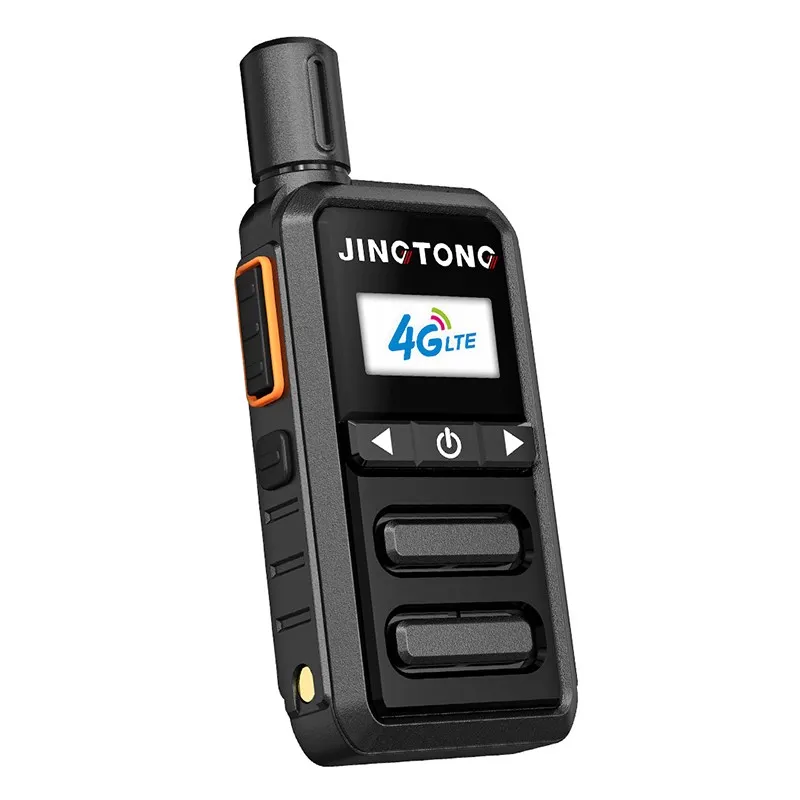
First off, let me introduce what Mini Poc Radio is. It's a compact and handy device that offers push - to - talk (PTT) functionality over 4G LTE networks. It's great for various scenarios, like construction sites, security patrols, and event management. You can communicate with your team members instantly, just like using a traditional two - way radio, but with the added benefits of 4G connectivity.
Now, the big question: Can you connect it to your phone? The short answer is yes, in most cases. There are a few ways to achieve this connection.
Bluetooth Connection
One of the most common and convenient ways is through Bluetooth. Most modern smartphones support Bluetooth technology, and many Mini Poc Radios also come with Bluetooth capabilities. Here's how it generally works:
- Put the Mini Poc Radio in pairing mode: Usually, you can find a specific button combination on the radio to activate the pairing mode. The LED light on the radio will start blinking, indicating that it's ready to pair.
- Enable Bluetooth on your phone: Go to your phone's settings and turn on the Bluetooth feature. Then, search for available devices.
- Select the Mini Poc Radio: Once your phone detects the Mini Poc Radio, select it from the list of available devices. You may need to enter a passcode (if required) to complete the pairing process.
Once paired, you can use your phone as a control center for the Mini Poc Radio. For example, you can view the contacts on the radio, send messages, and even use the phone's microphone and speaker for better audio quality.
Wi - Fi Connection
Some Mini Poc Radios also support Wi - Fi connection. If your phone and the radio are on the same Wi - Fi network, you can establish a connection between them. This method is useful when you're in an area with a stable Wi - Fi signal.
- Connect the Mini Poc Radio to Wi - Fi: On the radio, go to the Wi - Fi settings and select the available Wi - Fi network. Enter the password if needed.
- Configure the connection on your phone: There may be a dedicated app for the Mini Poc Radio. Download and install it on your phone. Open the app and follow the instructions to connect to the radio over Wi - Fi.
The advantage of a Wi - Fi connection is that it can provide a more stable and faster data transfer compared to Bluetooth, especially if you're dealing with large amounts of data, like group calls or file sharing.
Why Connect Mini Poc Radio to Your Phone?
There are several reasons why you might want to connect your Mini Poc Radio to your phone:
Enhanced Functionality
Your phone has a larger screen and more processing power than the Mini Poc Radio. By connecting them, you can access additional features that may not be available on the radio alone. For example, you can use mapping apps to track the location of your team members in real - time.
Easier Management
Managing contacts, groups, and settings is often easier on a phone. You can use the phone's keyboard to type messages, add or remove contacts, and customize the radio's settings more efficiently.
Multimedia Integration
With a connected phone, you can send and receive multimedia files, such as photos and videos. This is useful for sharing important information on the spot, like a safety hazard on a construction site or a suspect's photo in a security operation.
Compatibility Issues
While it's generally possible to connect a Mini Poc Radio to a phone, there may be some compatibility issues. Different phone models and operating systems may have different levels of support for the radio's features.
- Operating System Compatibility: Make sure your phone's operating system (e.g., Android or iOS) is compatible with the Mini Poc Radio. Some older operating systems may not support the latest features or may have bugs when connecting to the radio.
- App Compatibility: If you're using an app to connect the radio to your phone, ensure that the app is compatible with your phone model and operating system. Check the app's official website for the list of supported devices.
Other Considerations
When connecting your Mini Poc Radio to your phone, there are a few other things to keep in mind:
Battery Life
Connecting the radio to your phone will consume additional battery power. Make sure your phone is fully charged or has a power bank handy, especially if you're using the connection for an extended period.
Signal Strength
Both Bluetooth and Wi - Fi connections rely on a stable signal. If you're in an area with a weak signal, the connection may be unstable or drop out. Try to move to an area with better signal strength if possible.
Other Types of Poc Radios
If you're interested in other types of poc radios, we also offer Handheld Poc Two Way Radio and poc two way radio. These radios have their own unique features and advantages, and they can also be connected to your phone in similar ways.
Conclusion
In conclusion, yes, you can connect a Mini Poc Radio to your phone, and there are multiple ways to do it. Whether it's through Bluetooth or Wi - Fi, the connection can enhance the functionality and usability of the radio. However, you need to be aware of compatibility issues and other considerations to ensure a smooth connection.
If you're interested in purchasing Mini Poc Radio or other poc two way radios, feel free to reach out to us for more information and to start a procurement discussion. We're here to help you find the best communication solution for your needs.

References
- Industry knowledge and experience in the poc radio field.
- Product manuals and technical specifications of Mini Poc Radio, Handheld Poc Two Way Radio, and poc two way radio.


